
SRT and WebVTT primarily describe timed text for editing or player tracks. An OBS clean caption source is a continuously updated webpage for broadcast compositing. Professional projects often need a real-time output and a post-event file; these are complementary deliverables.
Select delivery by production stage
| Delivery | Typical use | Live revisions | Presentation |
|---|---|---|---|
| OBS browser/clean caption page | Streaming, vision mixer, event screen | Yes | Web-controlled, often transparent |
| WebVTT | Web-player track and on-demand video | Usually a stable timeline | Player and cue settings |
| SRT | Editing, review and platform upload | Usually post-event | Editing or playback software |
| Burned-in video | Social channels and fixed-caption masters | Viewer cannot disable it | Part of the video pixels |
What WebVTT solves
The W3C WebVTT specification defines external text tracks aligned with audio and video, including captions, descriptions, chapters and metadata. It fits viewer-selectable captions in a web player and can carry cue-position information. Player implementation, encoding and styling support still need validation on the target platform.
Why SRT remains common
SRT is simple and widely imported by editing tools and content platforms, making it useful for review, translation and master creation. It does not provide a live network update mechanism or a complete broadcast presentation layer. Fast post-event delivery should define the timecode basis, segmentation, speaker labels and encoding.
Why an OBS browser source fits live production
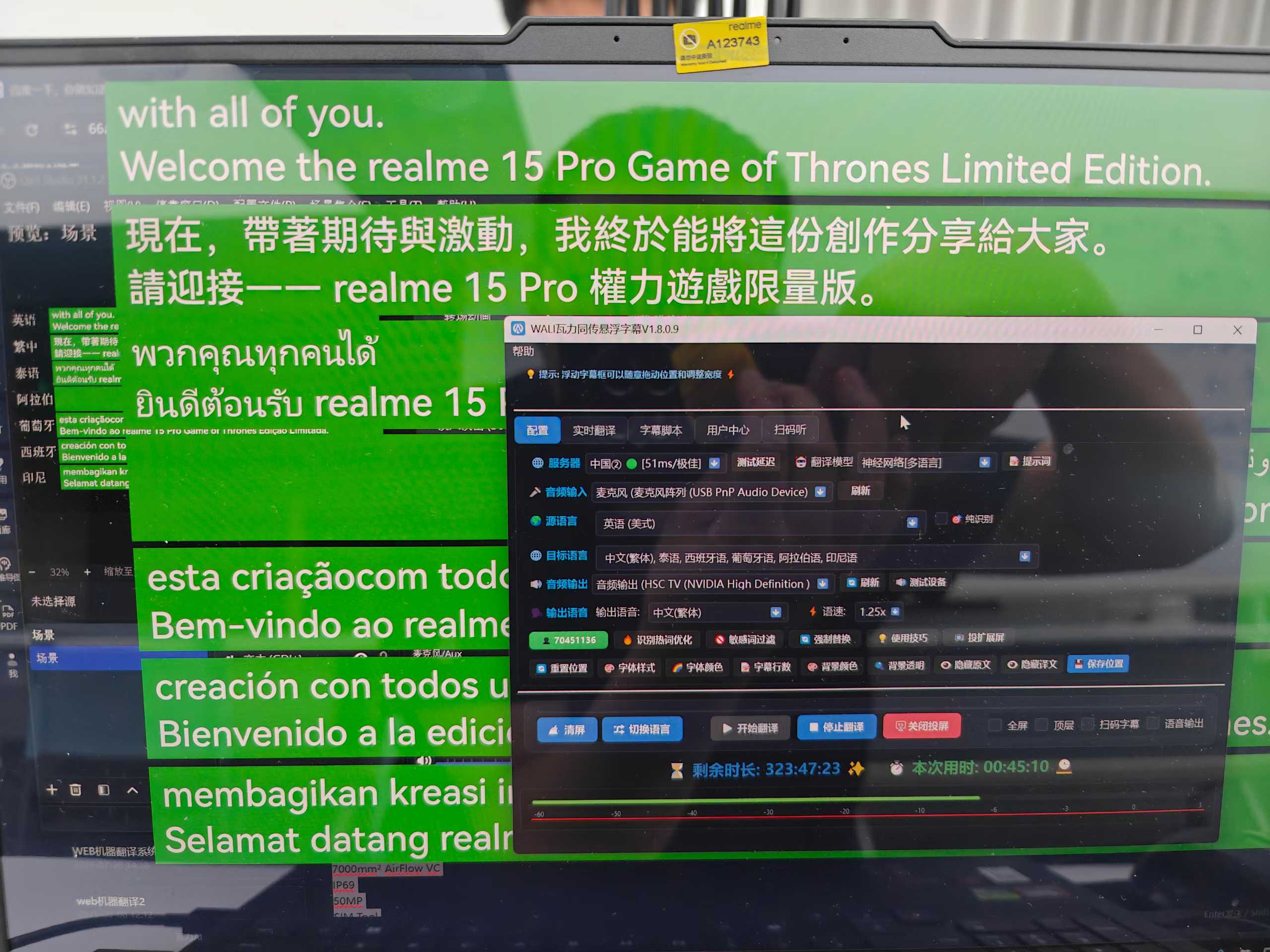
OBS documents that a browser source can load a URL or local file and configure viewport size, frame rate and custom CSS. A live caption service can therefore expose a transparent clean page that the director composites like any other graphic source. Caption revisions occur in the page's data layer while OBS shows the latest state.
The content plane decides which words appear. The presentation plane controls font, size, colour, background, safe area and resolution. Separation allows one authoritative caption version to reach screens, streams, browsers and audience phones without repeating recognition.
How live revisions become final files
Real-time ASR publishes interim text and revises it as speech continues. A stable segment ID should be replaced by newer versions on screen. The post-event export keeps final segments and then normalises timing and line breaks. Writing every interim revision into SRT creates duplicated cues and invalid timing.

Parameters the production team needs
- Programme resolution, aspect ratio and caption safe area
- Monolingual, bilingual or multilingual reading order
- Font, size, colour, backing and outline
- URL and access policy for the transparent source
- OBS, vMix or mixer acquisition method
- Whether caption and production networks are isolated
- Hold, clear and reconnect behaviour after outage
- Post-event SRT, VTT, transcript or burned-in masters
Combine outputs around the project goal
| Project | Live output | Post-event output |
|---|---|---|
| In-person forum | Screen/projection caption page | Transcript or SRT record |
| Online stream | OBS/vMix transparent source | SRT and programme master |
| Training VOD | Optional preview captions | WebVTT and burned-in master |
| Global launch | Multilingual clean feeds and screen | Per-language SRT/VTT and masters |
Frequently asked questions
Can a live event deliver only an SRT file?
When content is still unfolding, SRT cannot naturally receive continuous revisions like a live page. A final SRT can be exported after the event from stable captions.
Does a transparent caption source require OBS?
No. OBS is a common route; vMix, vision mixers and production environments that accept web or graphic sources may also use it, subject to the onsite format and resolution.
Method note: this guide combines public standards, production-software documentation and WALI's live caption workflow. Validate support against the actual player, mixer and software versions during rehearsal.